
Two kinds of AI tools are useful for a product designer today. An AI assistant such as Claude works with text, research and ideas. An AI code editor such as Cursor builds prototypes that work.
AI tools changed how product teams work in a short time. I use two of them in my design work: Claude and Cursor. Claude is an AI assistant made by Anthropic. Cursor is a code editor with AI built in.
This article explains where these tools fit in the work of a product designer, and where they do not.
Why a product designer should learn AI tools now
A large part of design work is preparation: reading research, comparing options, writing, building something to test. AI tools make these parts faster.
The time saved is useful only if it goes to the hard parts. Those parts are understanding the problem and deciding what to build. I describe that work in product strategy for designers.
There is a second reason. Product managers and engineers already use these tools. A designer who understands them takes part in the conversation about how the team works.
Where an AI assistant such as Claude fits
An assistant works with language. It is useful in four places.
- Summaries of research. Interview notes, survey answers and long documents become a short list of themes. I still read the sources for the points that matter.
- First drafts. Interface text, a project brief or the outline of a presentation. A draft is faster to improve than a blank page.
- A second opinion. I describe a decision and ask what is weak in it. The answer is not always right, and it often shows a point I missed.
- Structure. A long list of notes becomes a clear document with sections.
The quality of the answer depends on the question. A clear description of the customer, the goal and the limits gives a useful answer. A vague question gives a generic one.
Where an AI code editor such as Cursor fits
Cursor writes code from a description. For a designer, this changes prototyping.
A classic prototype is a set of linked screens. It shows the flow and it does not behave like the real product. With a code tool, a designer can build a prototype that works: real inputs, real states, real data.
This helps in three situations:
- Complex interactions. Filters, forms that have many states, or content that changes while the customer types.
- Tests with customers. People react to a working product in a more honest way than to a picture.
- Conversations with engineers. A working example answers many questions before the build starts.
A prototype made this way is still a prototype. It shows what we want. Engineers decide how to build the real product.
What stays with the designer
AI tools produce a lot of material quickly. More material is not better design. Three things stay with the designer.
- The problem. A tool answers the question it receives. It does not know if the question is the right one.
- The truth. An assistant can write something false in a confident tone. Check facts, numbers and research summaries against the source.
- The quality. A tool gives an average answer. The designer knows the customer and decides what is good enough.
There is also a duty of care. Company information is confidential. Use the tools that your company approves and follow its rules.
| Task | Tool | What the designer checks |
|---|---|---|
| Summary of research notes | AI assistant | Every point against the source |
| First draft of interface text | AI assistant | The words customers use |
| A second opinion on a decision | AI assistant | If the objection is true for your customers |
| A working prototype | AI code editor | The behaviour, on a phone and with real content |
A simple way to start
Choose one task that you repeat every week, for example the summary of research notes. Do it with an AI assistant for a month. Compare the result with your own work and note where the tool was wrong.
Then try a code tool on one small prototype. Describe one screen with one interaction, and correct the result step by step.
You learn fastest with real work. After a few weeks you know which tasks to give to a tool and which to keep.
Infographic
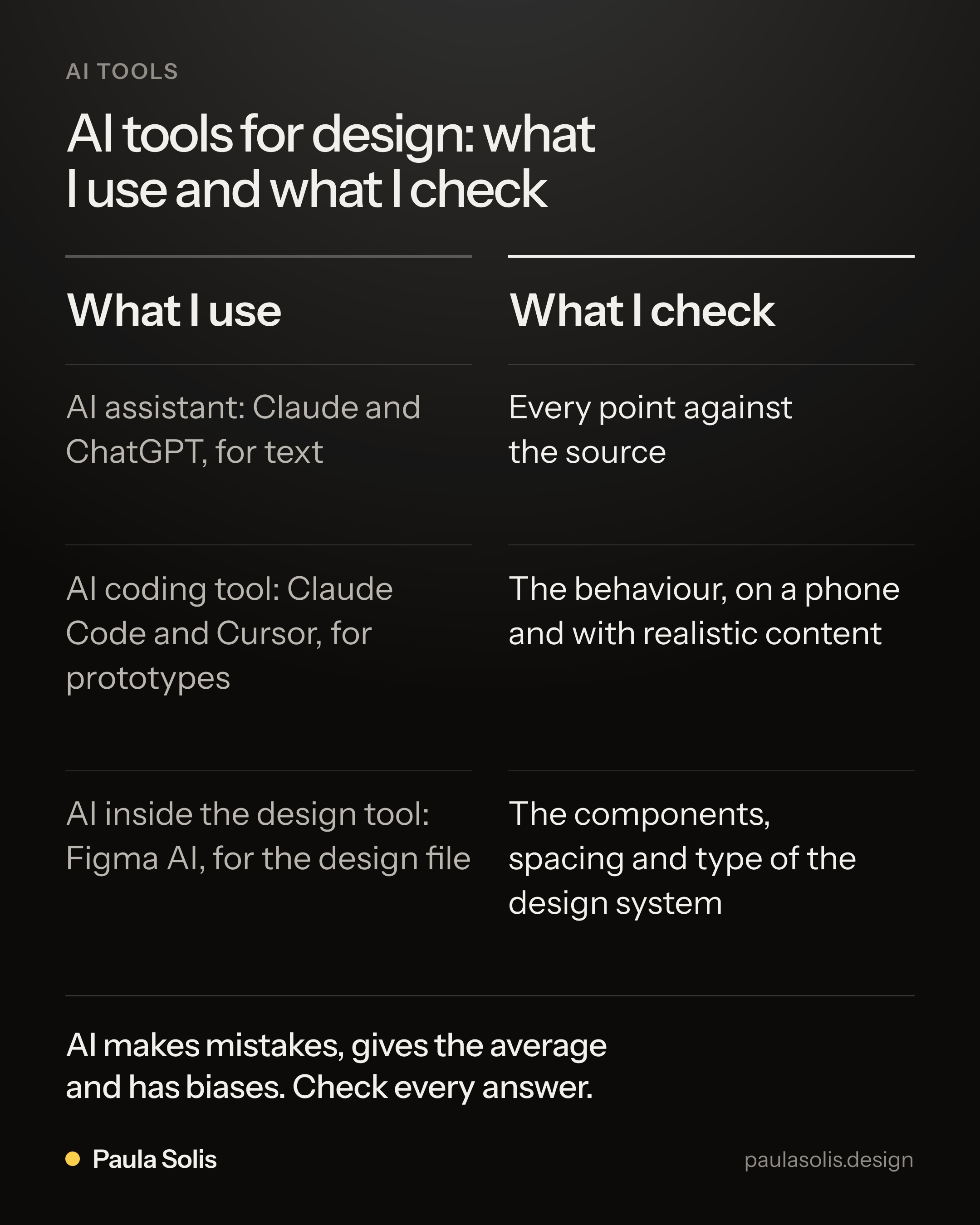
AI tools for design: what I use and what I check. What I use: AI assistant: Claude and ChatGPT, for text; AI coding tool: Claude Code and Cursor, for prototypes; AI inside the design tool: Figma AI, for the design file. What I check: Every point against the source; The behaviour, on a phone and with realistic content; The components, spacing and type of the design system. AI makes mistakes, gives the average and has biases. Check every answer.
Questions and answers
Which AI tools are useful for product designers?
Two kinds are useful today. An AI assistant such as Claude works with text, research and ideas. An AI code editor such as Cursor builds working prototypes from a description. Design tools such as Figma also include AI features.
Does a designer need to know how to code to use Cursor?
No, but it helps to understand the basics. Cursor writes the code from your description. You need to describe the result clearly, test it and say what is wrong.
Is it safe to use AI tools with company information?
Follow the rules of your company. Many companies approve some tools and forbid others. Do not paste confidential information into a tool that your company has not approved.
Will AI replace product designers?
AI tools do parts of the work faster, such as drafts and prototypes. They do not know your customers or your business. A designer who has good judgement and uses these tools well does more than before.