
A design system redesign is a review of the shared components, patterns and rules that product teams build with. It works when it starts from the needs of the real products that use the system.
A design system is a product. Its customers are the teams that design and build with it. Many redesigns forget this and start from the components: new buttons, new colours, a new library.
At Vodafone I worked on the redesign of a design system. I did not build the components. My part was guidance: which needs of the real products the system had to solve. This article explains that approach.
Why a redesign fails when it starts from components
A component library can look complete and still fail the teams that use it.
The signs are easy to see. Designers copy a component and change it. Engineers write their own version. The same task has three different flows in three products. Each team has a good reason, and each reason is a need that the system did not solve.
A redesign that starts from the components changes how they look and keeps those needs open. A year later the same problems return.
Start with the products that use the system
The first step is to study the products, with the same care you give to customer research.
I look for three things.
Where teams change the system
Every component that a team copies and edits is evidence. Ask what the team needed. Often several teams made the same change, and that change belongs in the system.
Where a workflow is too long
Components are small. Customers do not use components, they complete tasks. I follow a full workflow in a real product and count the steps. A system that has a good input field and a good button can still produce a slow form.
So the system needs patterns for full tasks, in addition to single parts.
What is missing
Teams build what they do not find. A list of these custom parts shows what the system should include next.
Guidance before components
After this study I write guidance. It is a short document for the people who build the system. It says:
- Which product needs come first, and the evidence for each one.
- Which decisions the system should make for the teams, so that they do not decide again in every project.
- Which workflows need a shared pattern, with the shorter version we want.
- What the system should leave open, because products differ for good reasons.
This connects to the strategy work that comes before any design. The method is the same. The customer is the product team.
I worked on these decisions with the lead designer and with my manager. The people who build components then start with a clear list of problems. They choose the best solution, which is their expertise.
- Study the products Where teams change the system, where a workflow is too long, what is missing.
- Write the guidance Which needs come first, with the evidence for each one.
- Build Components and patterns for full tasks, made by the people who know how.
- Measure the use Do teams use the parts without changing them?
Signs that the redesign works
A design system has no value until teams use it. I look for four signs, and each one has a place where you can check it.
| Sign | Where to check |
|---|---|
| Teams use components without changing them | Design files and code of real products |
| A new screen takes less time to design and to build | Ask the teams, and compare two similar projects |
| The same task works the same way in different products | Do the task yourself in each product |
| Teams ask for additions through the system | The requests the system team receives |
Collect these signs from the start. They show the next problem to solve, and they explain the value of the system to the people who pay for it.
Where to start tomorrow
Choose two real products that use your design system. Follow one full task in each. Write down every place where the team changed a component or built a new one, and ask why.
That list is the start of your redesign. It is more useful than a new library file, because it comes from real work.
Infographic
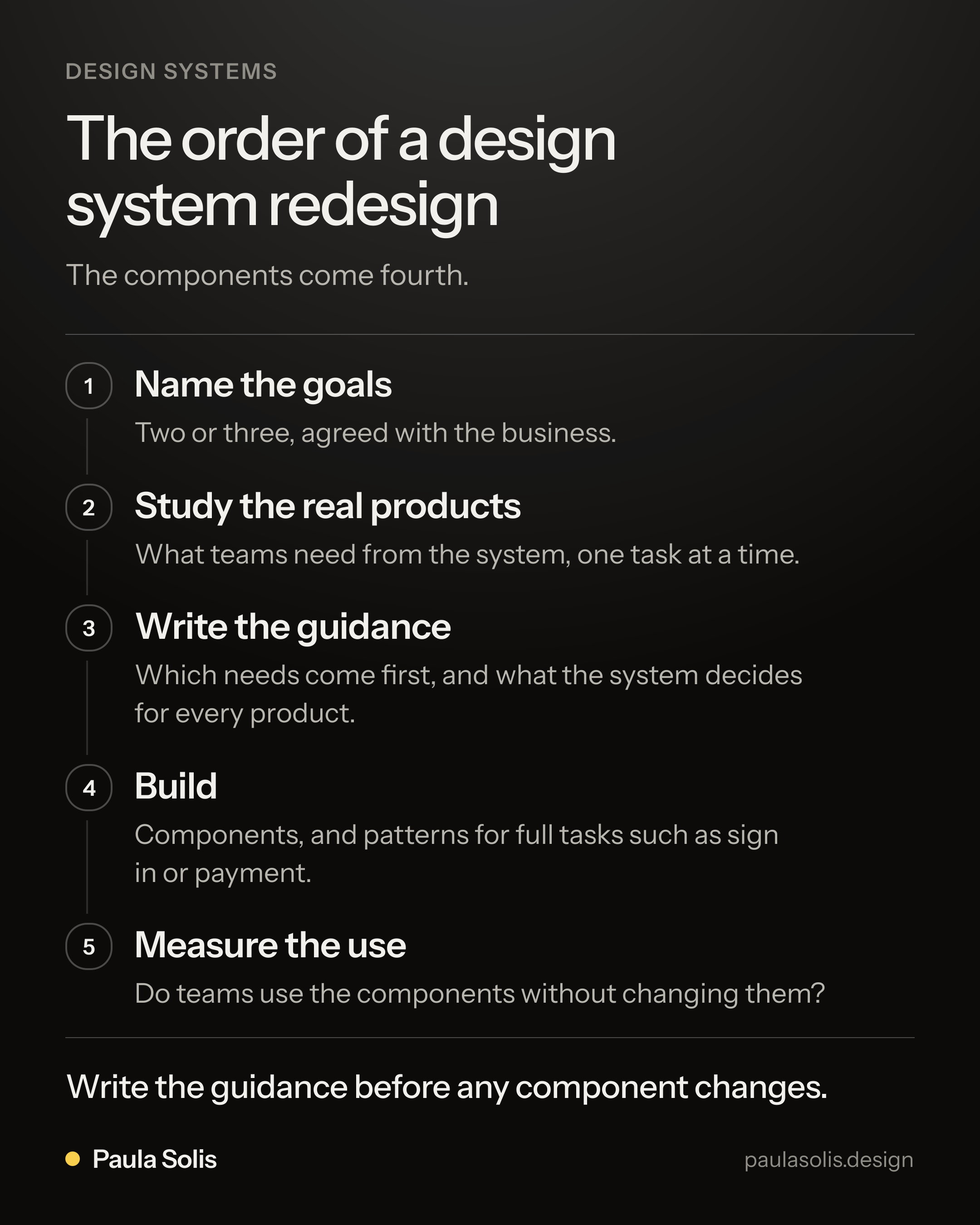
The order of a design system redesign. The components come fourth. 1. Name the goals: Two or three, agreed with the business. 2. Study the real products: What teams need from the system, one task at a time. 3. Write the guidance: Which needs come first, and what the system decides for every product. 4. Build: Components, and patterns for full tasks such as sign in or payment. 5. Measure the use: Do teams use the components without changing them? Write the guidance before any component changes.
Questions and answers
What is a design system redesign?
It is a review of the shared components, patterns and rules that product teams use to build interfaces. A good redesign changes what the system solves for those teams. A new visual style alone is a restyle.
Who should guide a design system redesign?
Someone who knows the products that use the system and the business behind them. That person works with the designers and engineers who build the components, and brings them the needs of real products.
How do you know that a design system works?
Product teams use it without changing it, new screens take less time to design and build, and the same task looks and works the same way in every product. Ask the teams and look at their files and code.